

Floorplans, guest fields, seating, printouts, and welcome SMS have all received major upgrades.
Whether you’re creating a quick layout for an exhibition or trade fair, organizing a business or social event, or arranging guests around tables or in theatre-style rows, EventReception’s e-Planner has you covered!
Here’s a recap of what’s new in e-Planner v. 3.6
Floorplans
Click ‘n Drag with Real-Time Preview
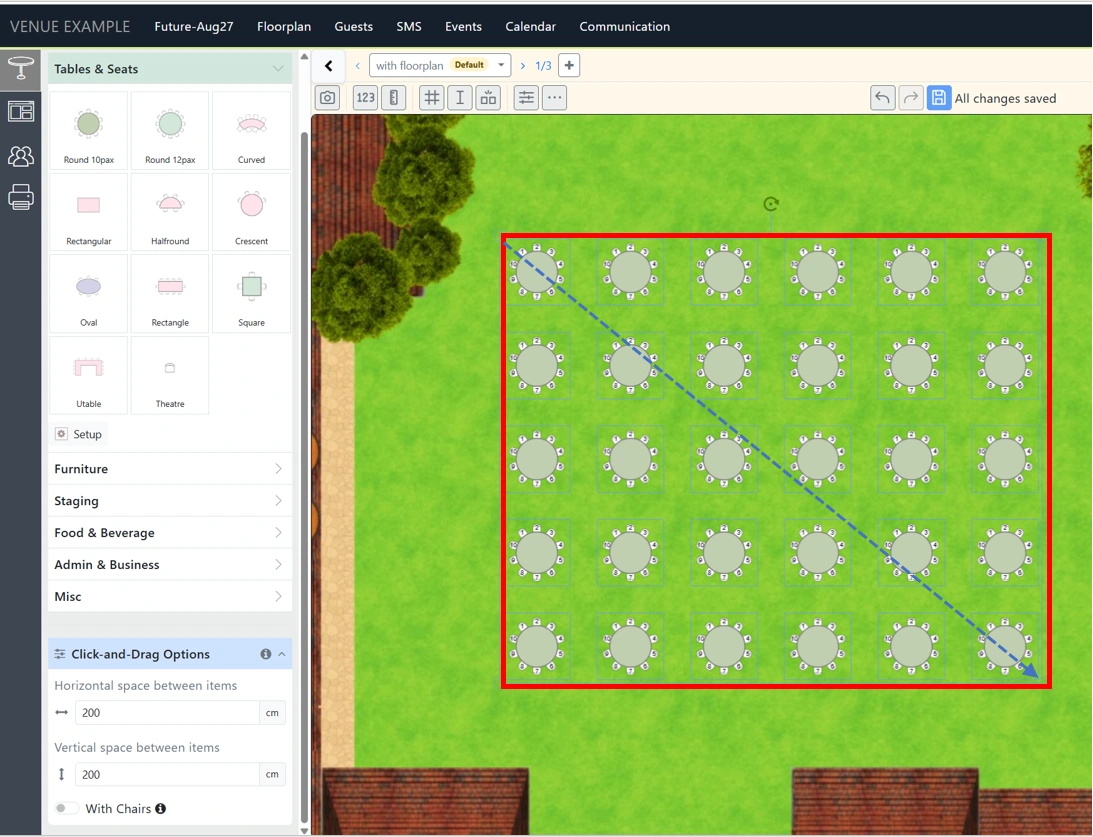
Place multiple objects on your floorplan with our Click ‘n Drag tool. Set your desired horizontal and vertical spacing, then simply click ‘n drag to see your selected object fill the area in real time. Release the mouse button to confirm your layout.
Create Accurate Plans Faster (Grid)
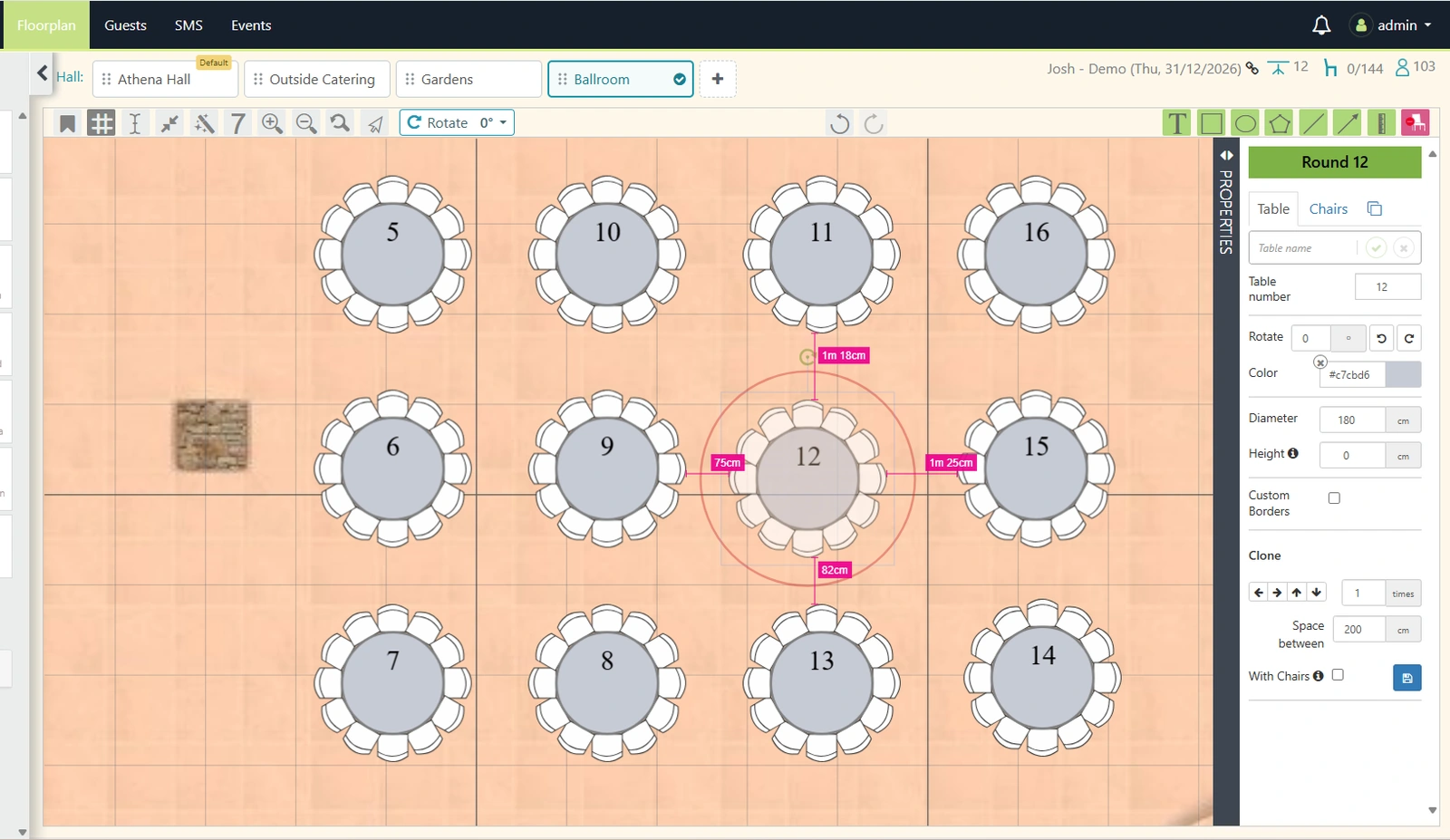
Use the Grid to automatically show you all related distances as you place your objects. Set the grid lines’ width and height, add more anchor vertical/horizontal lines for additional help guides.
Theatre Setup & Seating
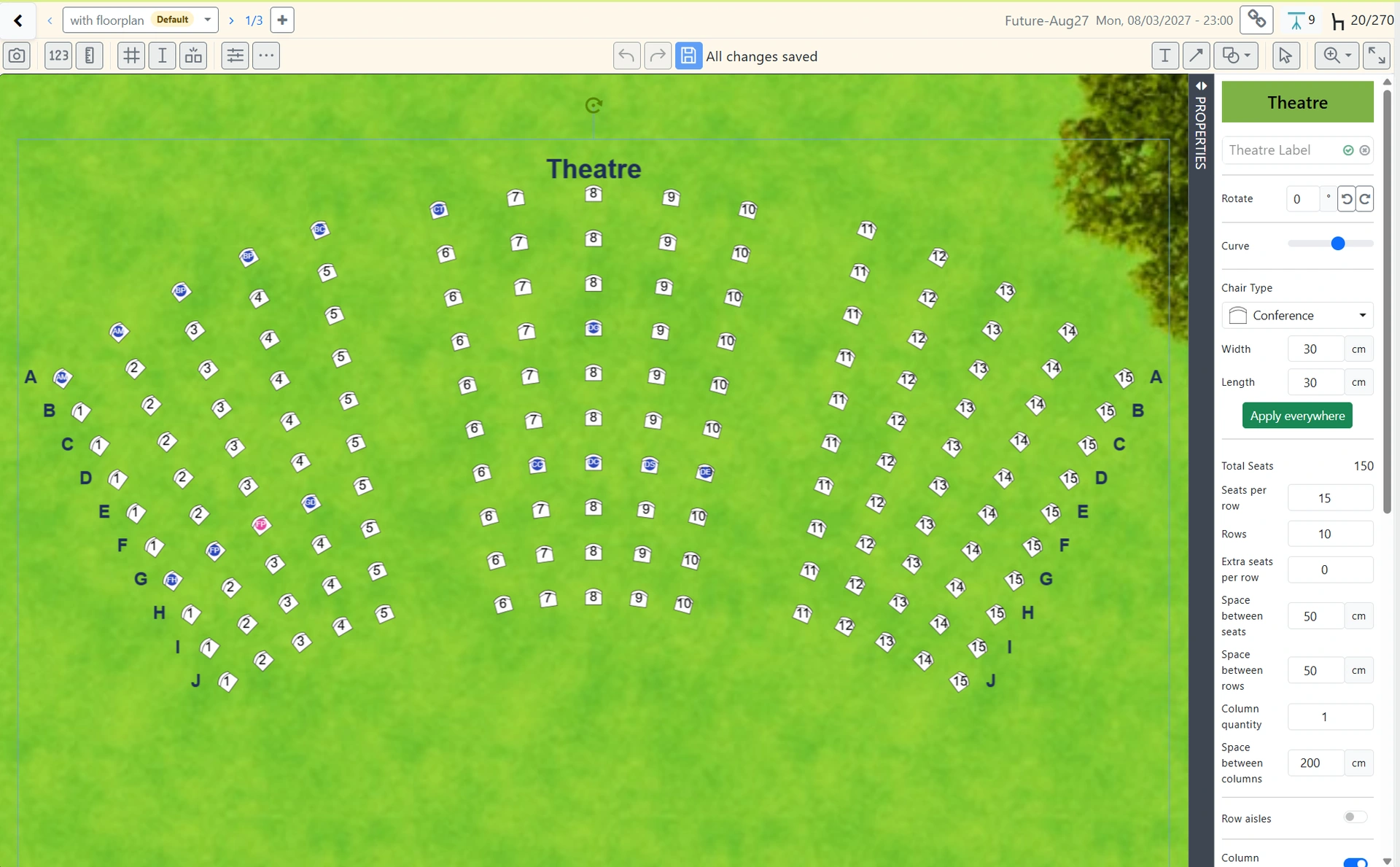
Set up your theatre fast. Show/hide theatre row and column titles, set aisles, label different theatre sections, remove seats and more. As always, simply click and seat guests to their seats.
New Table Type: Curved Table
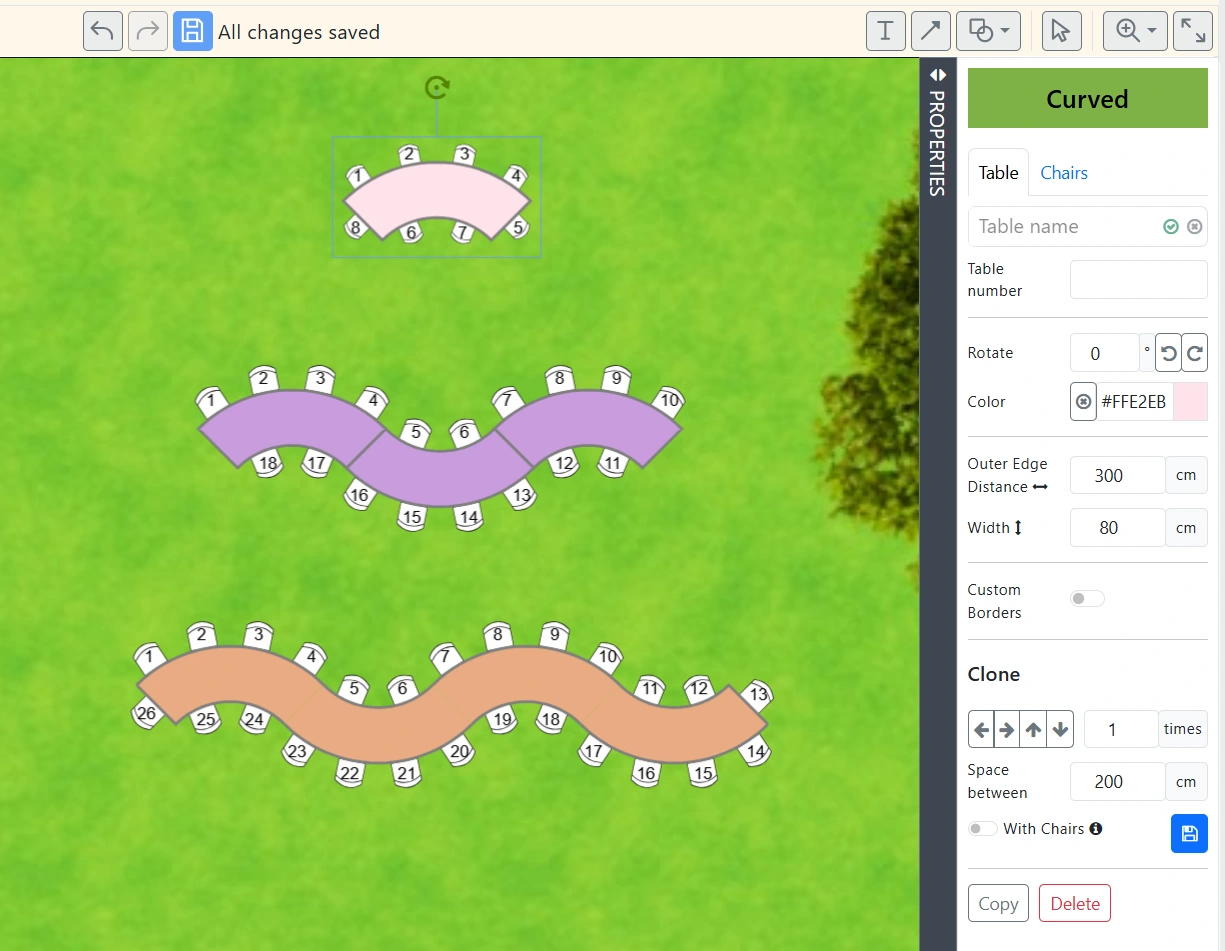
Added a new curved table type. Place seats along both the inner and outer curves, as well as at each end. You can naturally join multiple curved tables together.
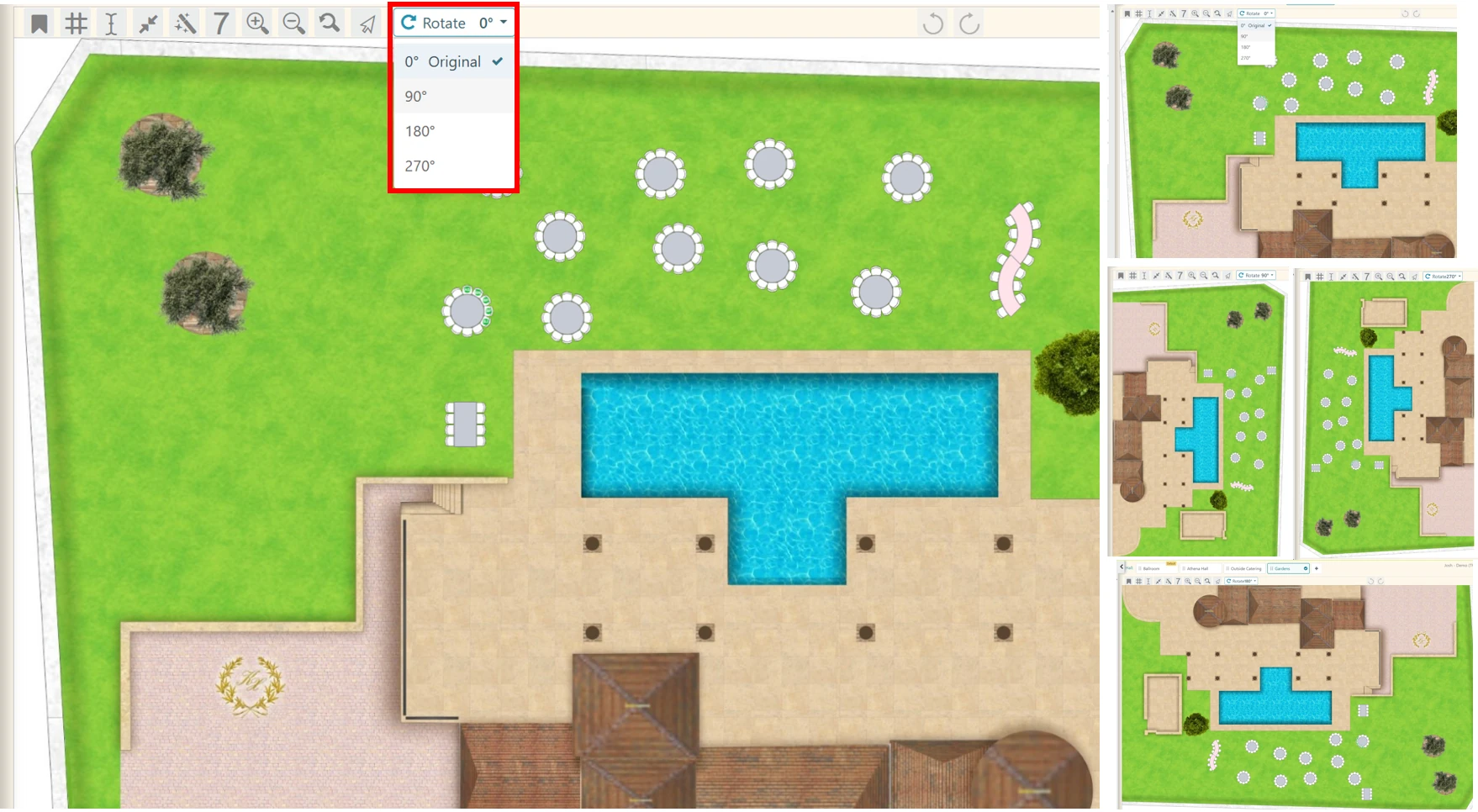
Whole Plan Rotation
Rotate the whole floorplan vertically or horizontally
Guest List Setup
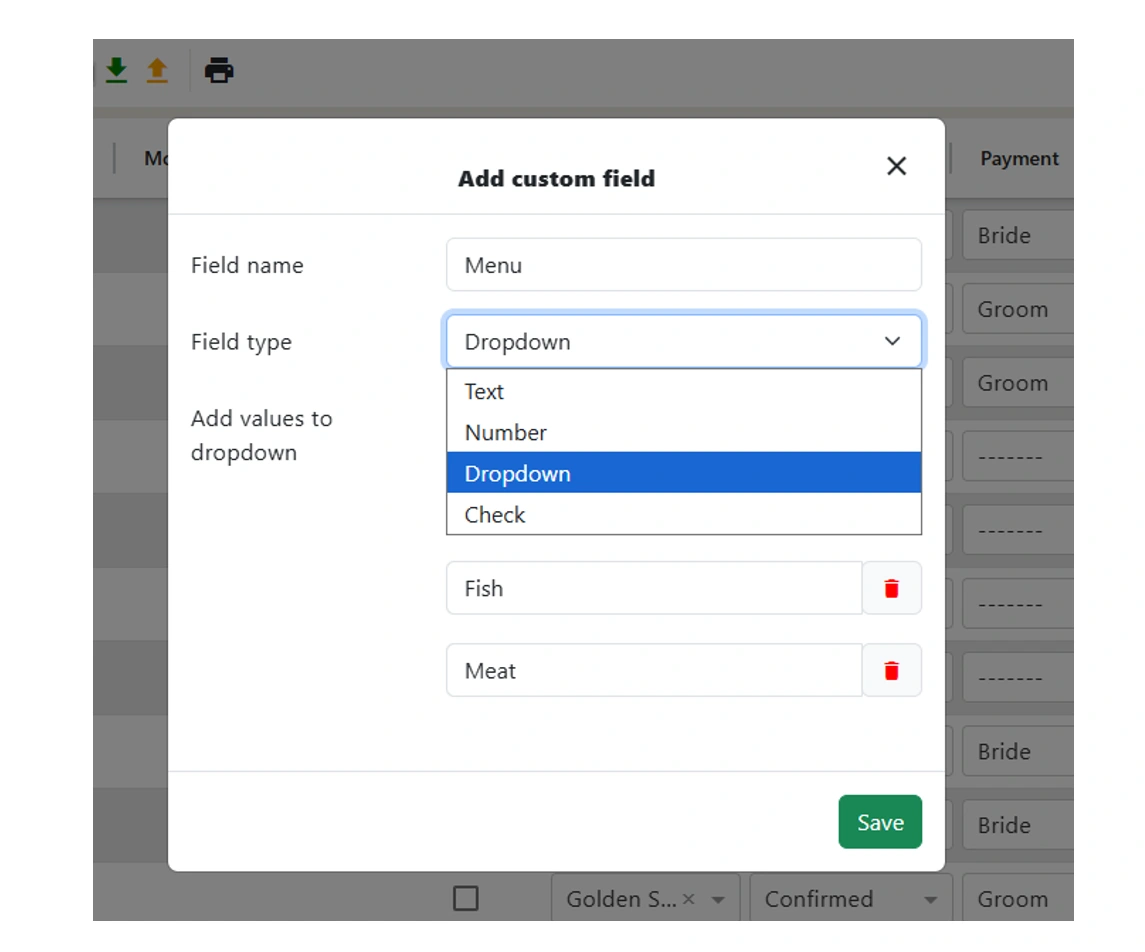
Create Custom Guest Columns
Add, edit, hide or delete guest columns per event or account. Adjust your guest list as needed for each event.
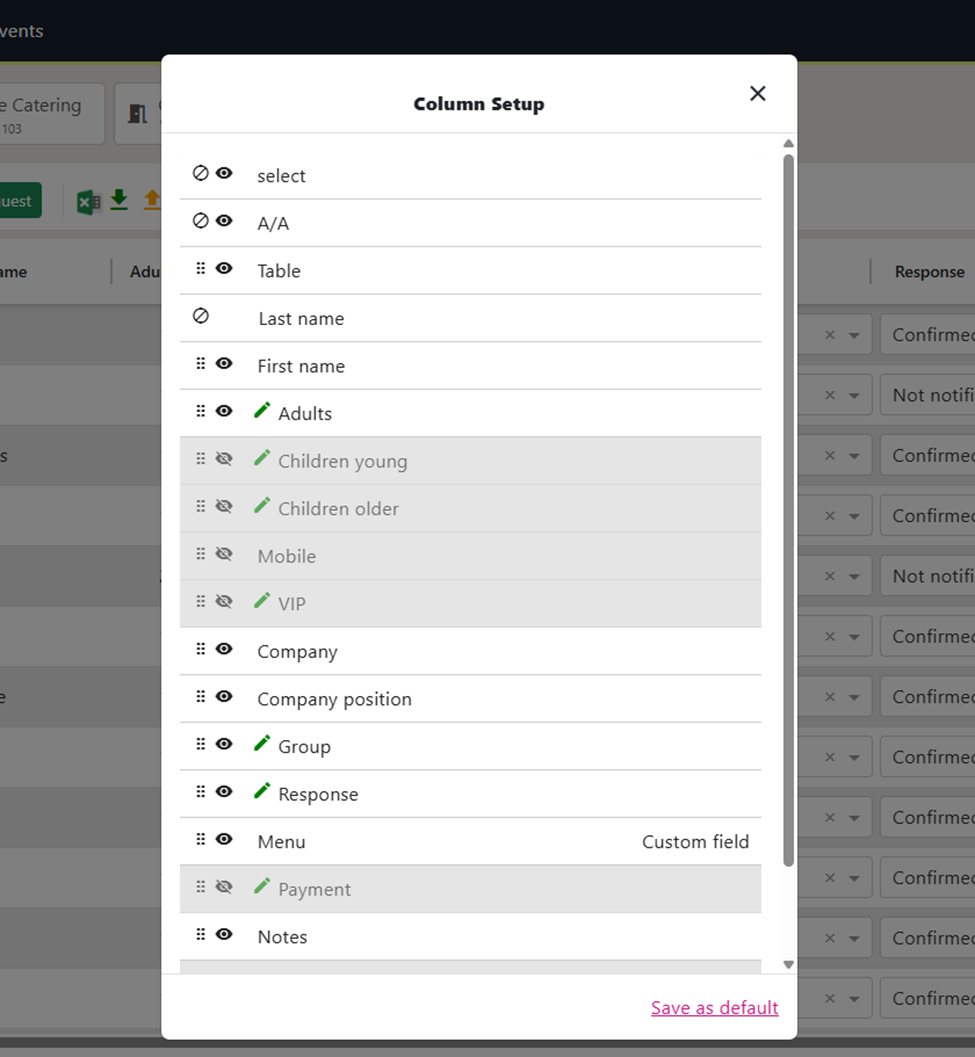
Customize Guest Column Display
Set up the guest environment as you want. Show or hide guest columns, rename them, change the order the columns show and their column width to easily navigate the environment.
Seating
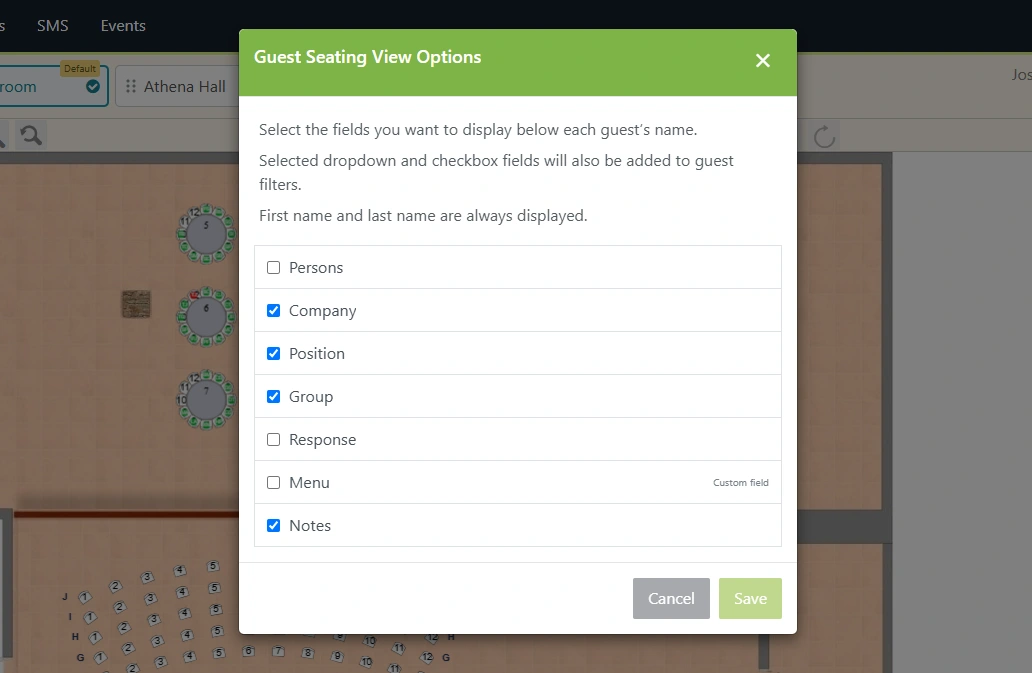
Select Guest Data for Seating
Select the data you want to show when deciding how to group guests to seat them: Company, job title, custom columns etc.
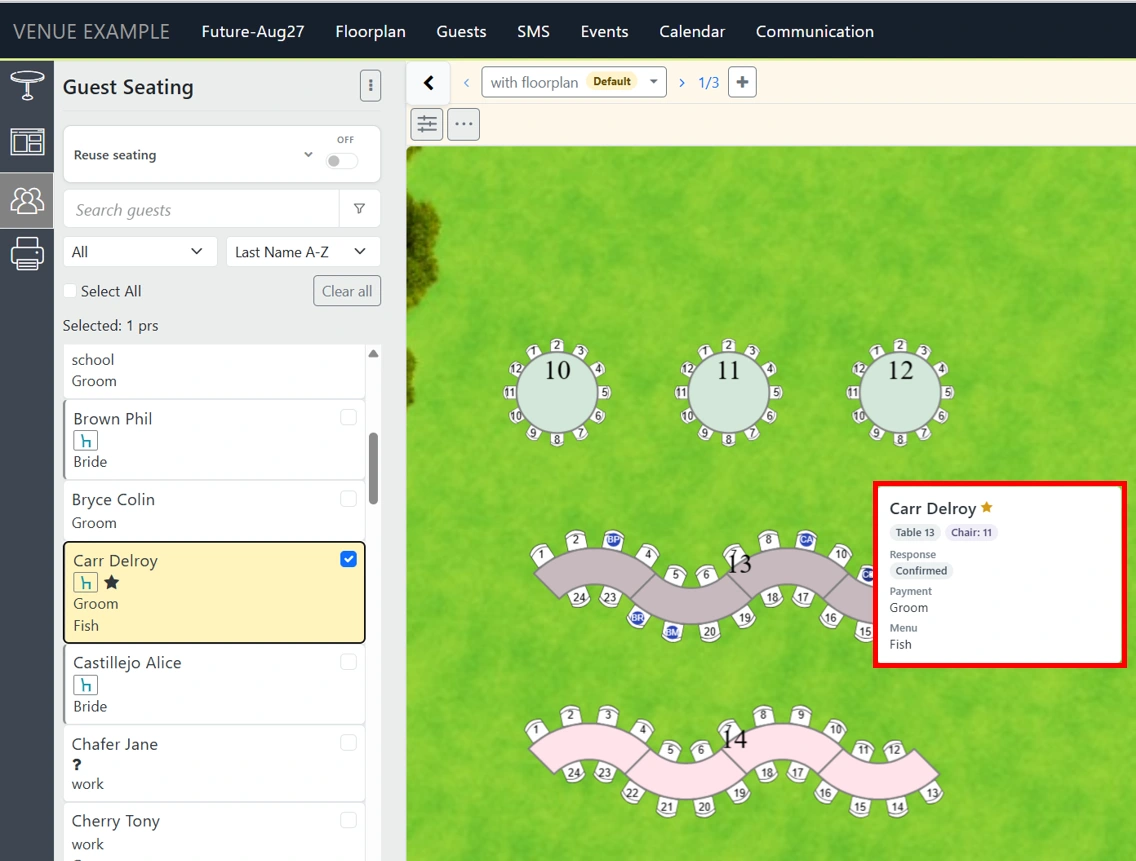
Seated Guest Info Card
View each guest’s table and seat number, along with the details you choose to display, in a convenient Guest Info Card that shows as you hover the attendees.
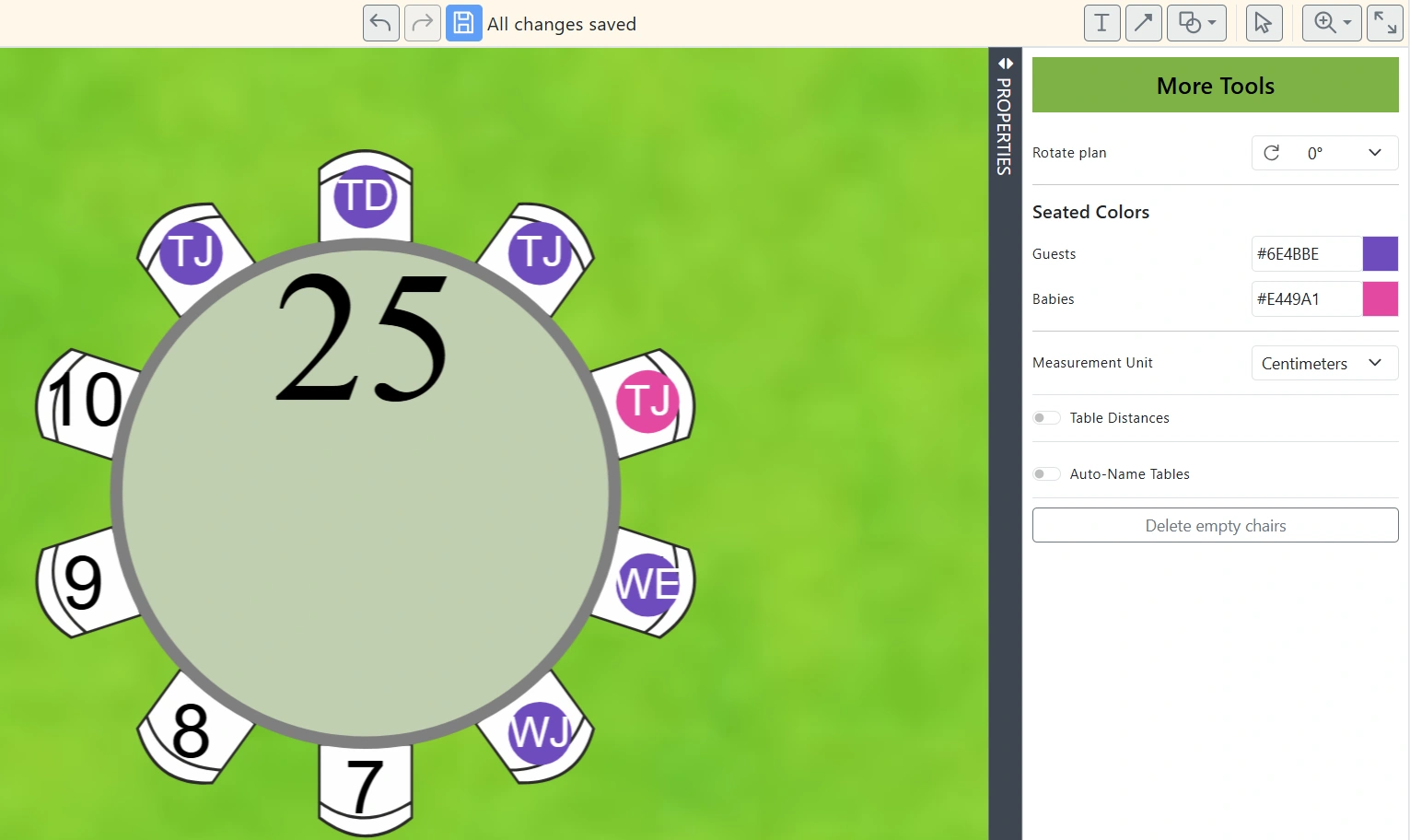
Seated Guest Colors & Initials
You may now change the color of guests as well as show or hide their initials when seated.
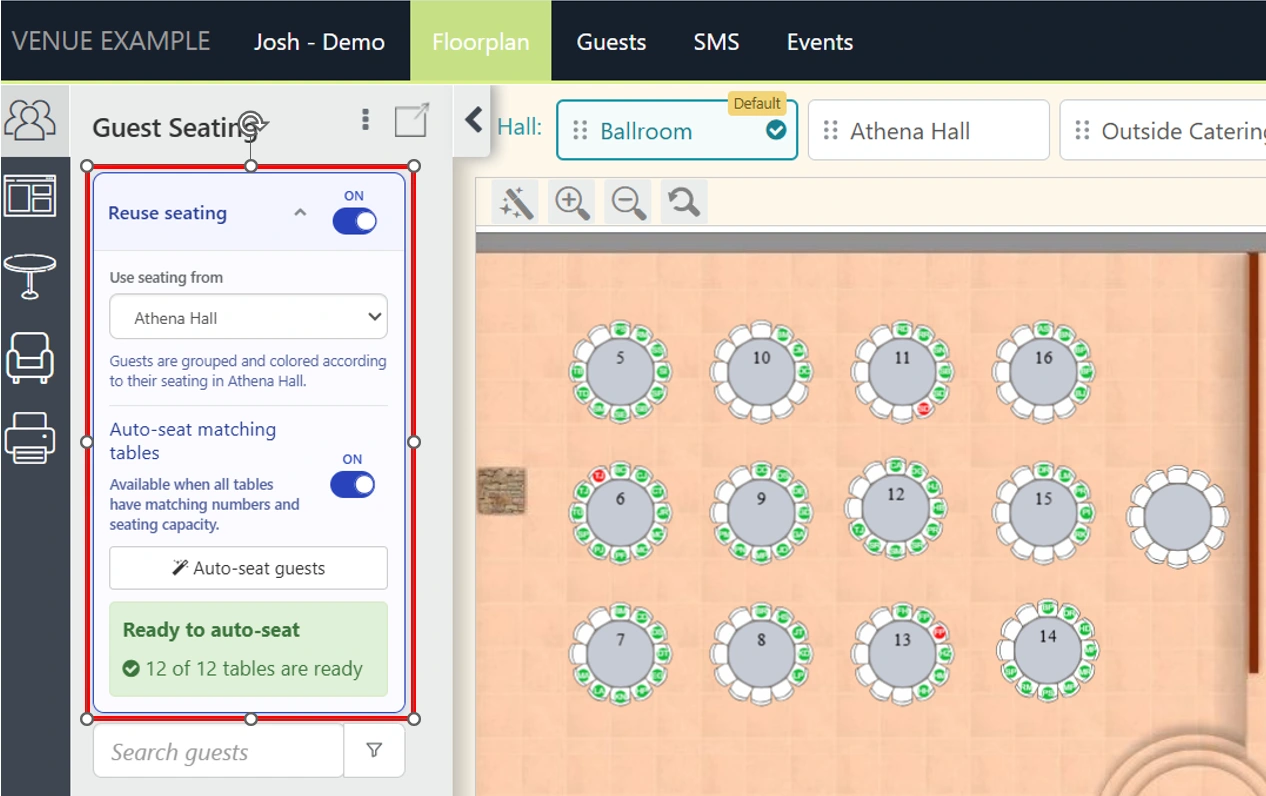
Auto-Seat Guests Across Floorplans
Guests seated in one floorplan can be auto-seated in other floorplans. With one click!
SMS Management
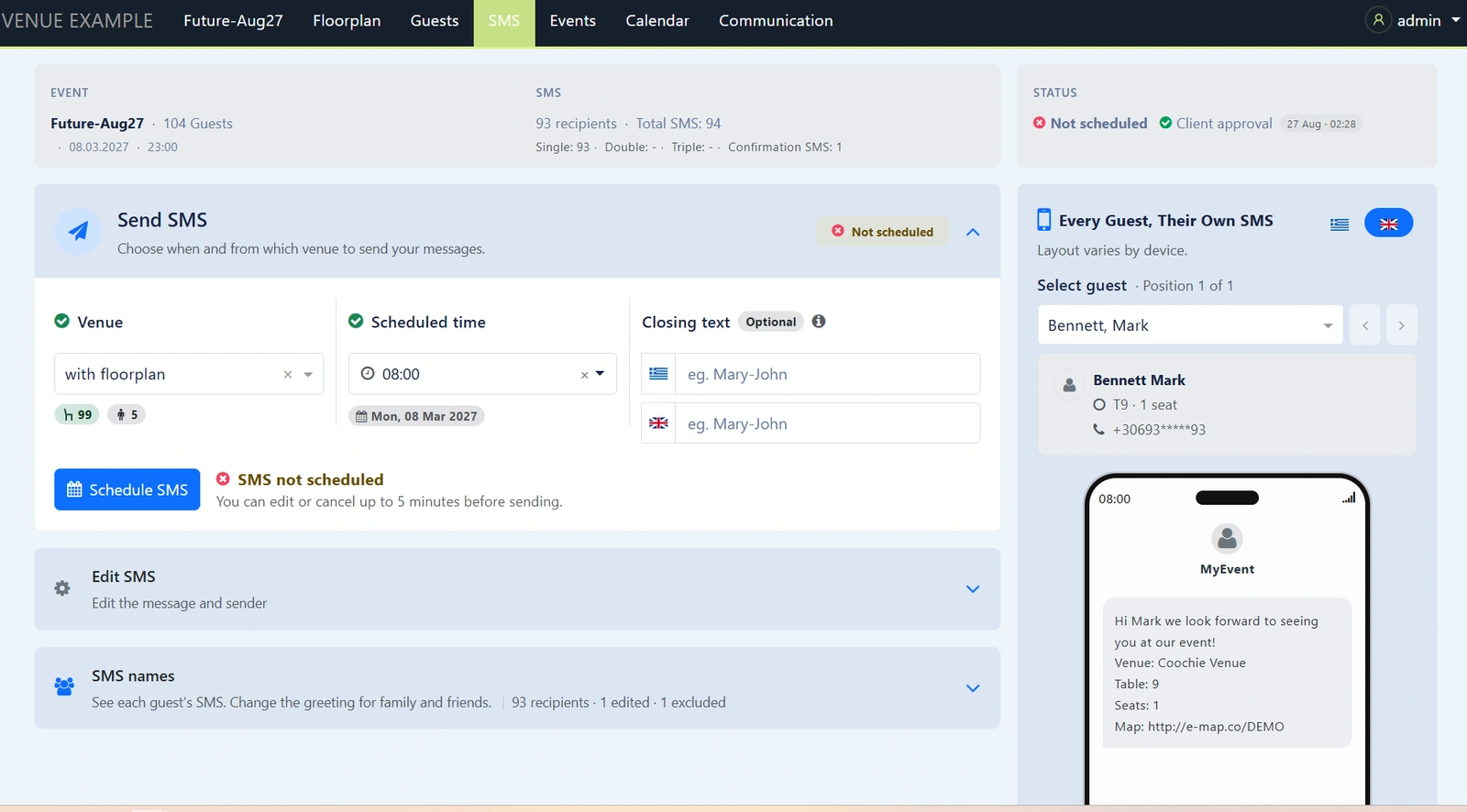
Upgraded SMS Environment
The SMS environment has been upgraded for both you and your clients. With a couple of clicks you can set up the SMS campaign while at the same time allowing last minute changes. Your clients can easily preview the SMS messages that each of their guests will receive. At just a glance you can see how SMS messages are broken down, easily track all the individual messages, change the SMS text and more. More importantly, our upgraded engine enables us to easily introduce industry-changing features… soon to follow.
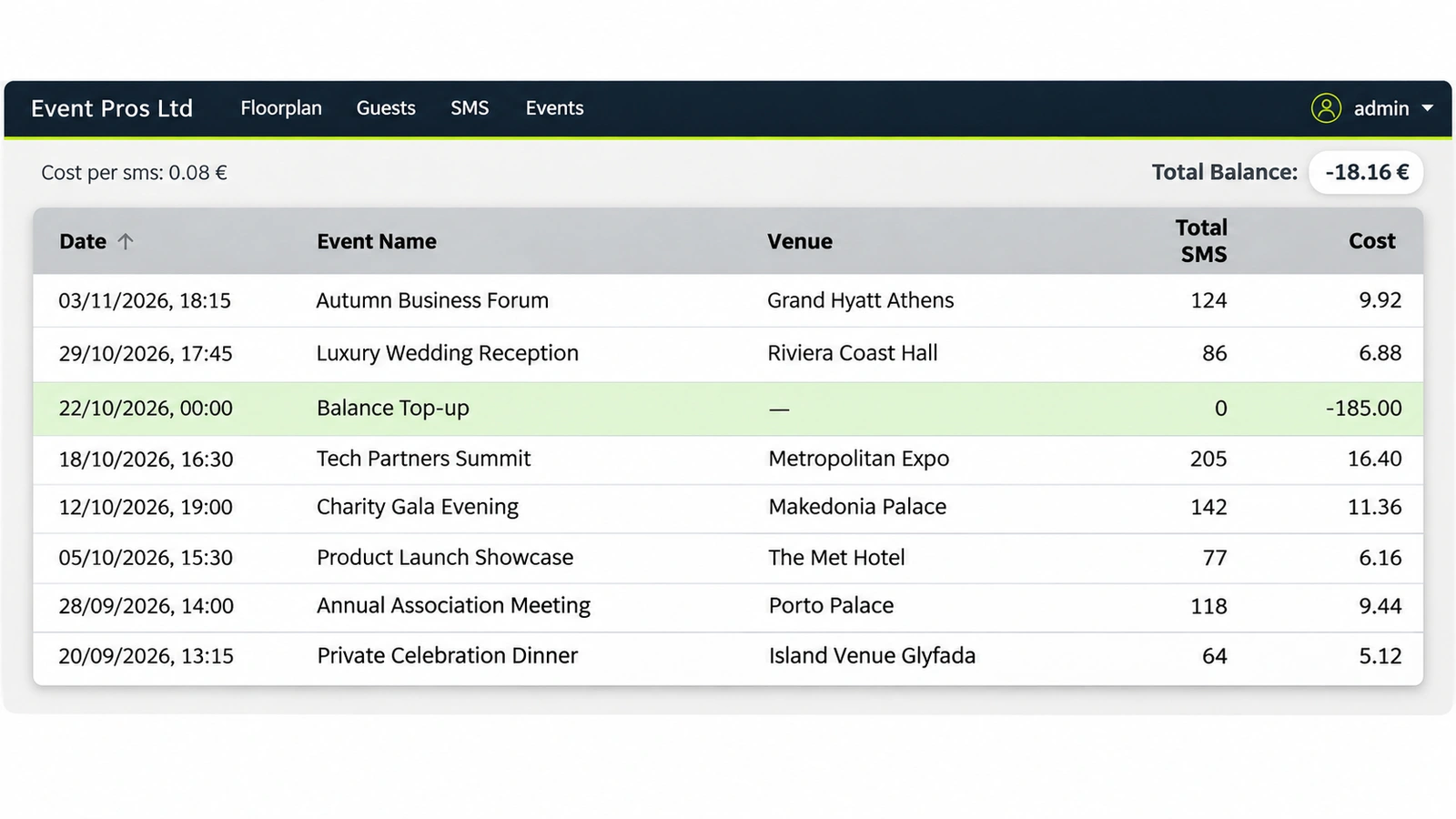
SMS Report & Balance Tracking
You can now track your SMS balance in real time.
Printing & Exports
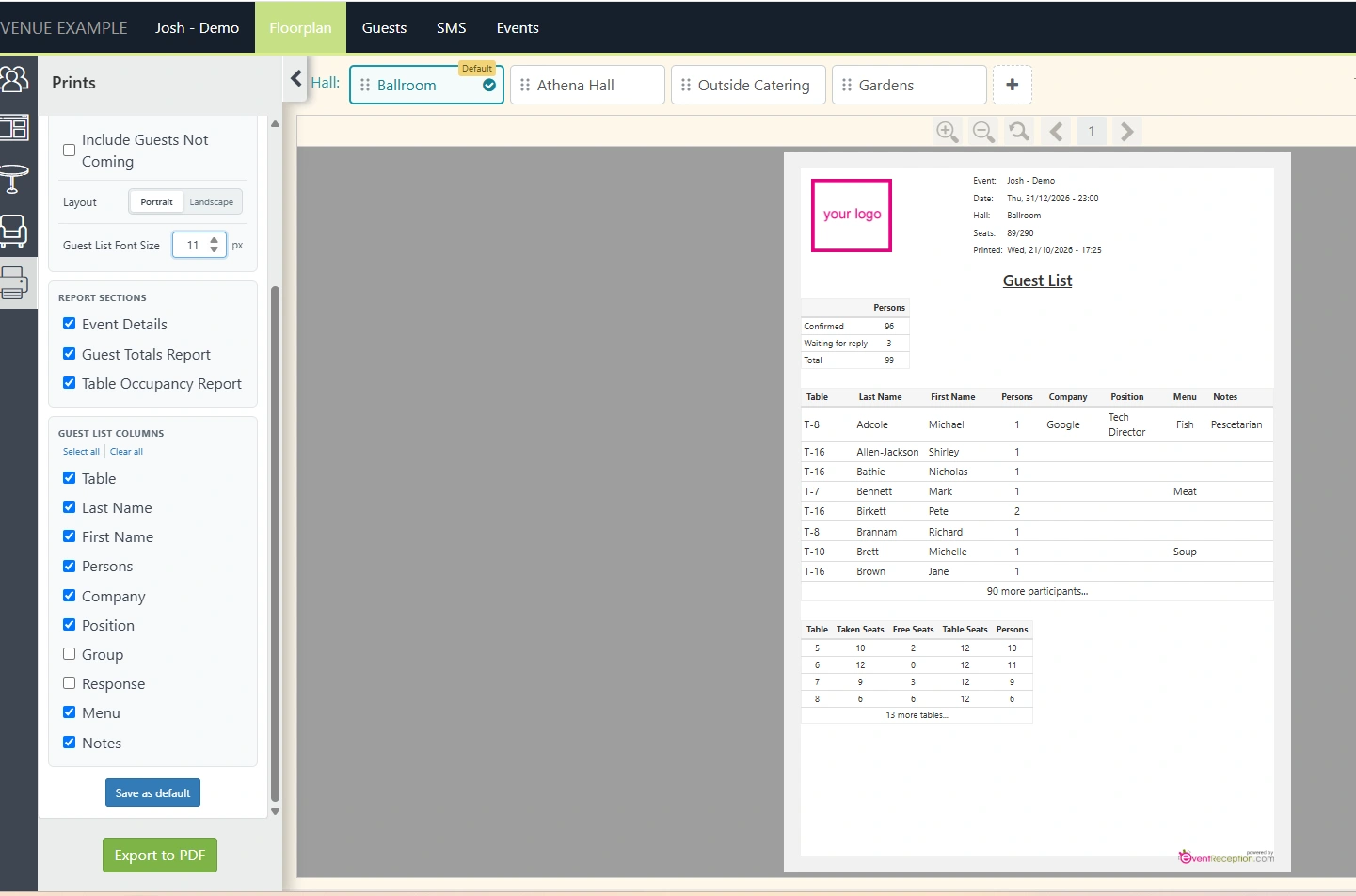
Improved Print Settings
Multiple improvements in prints. Export in portrait/landscape modes, increase/decrease font size, show/hide columns and custom columns.
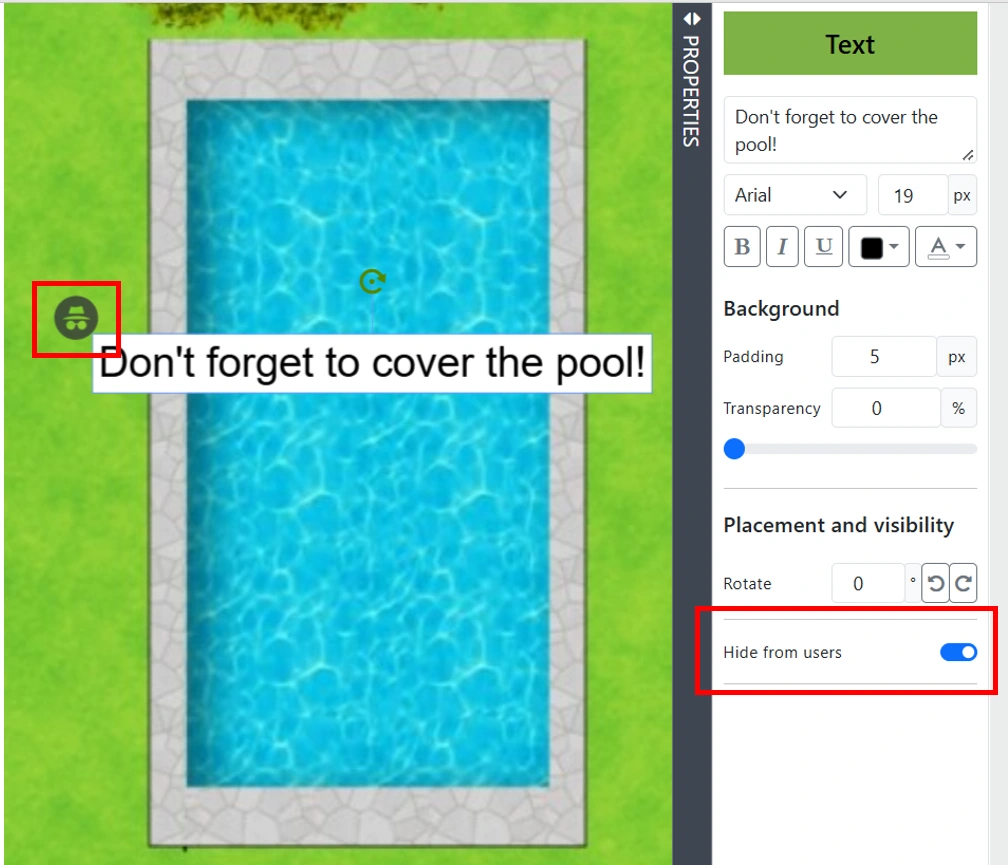
Hide Floorplan Text in PDF Exports
Add “hidden text” to your floorplan. Hidden text shows on the floorplan, but you may hide it from your pdf printouts. Hidden text is signified by a hidden icon.
Event Administration
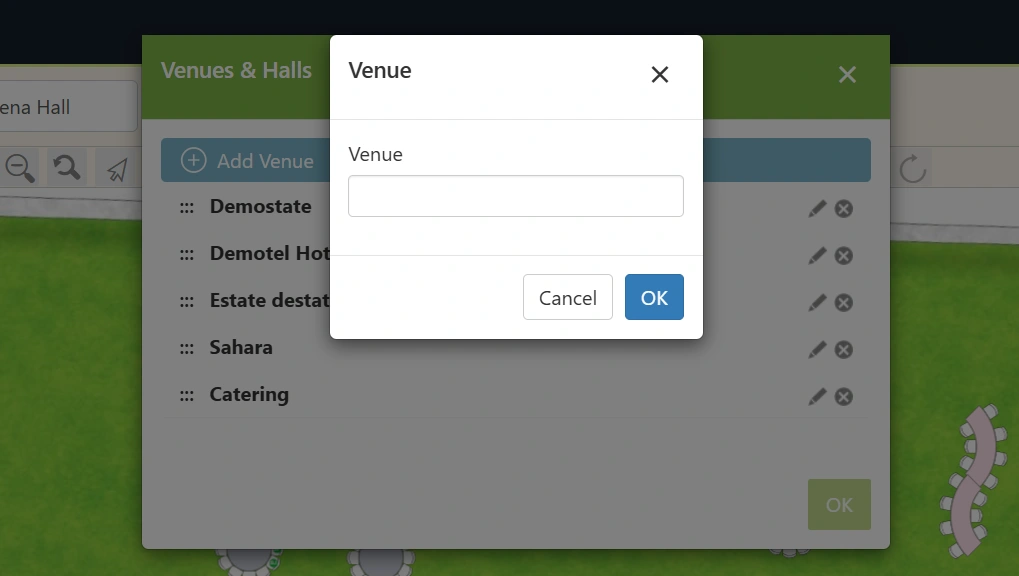
Create Venues & Upload Plans
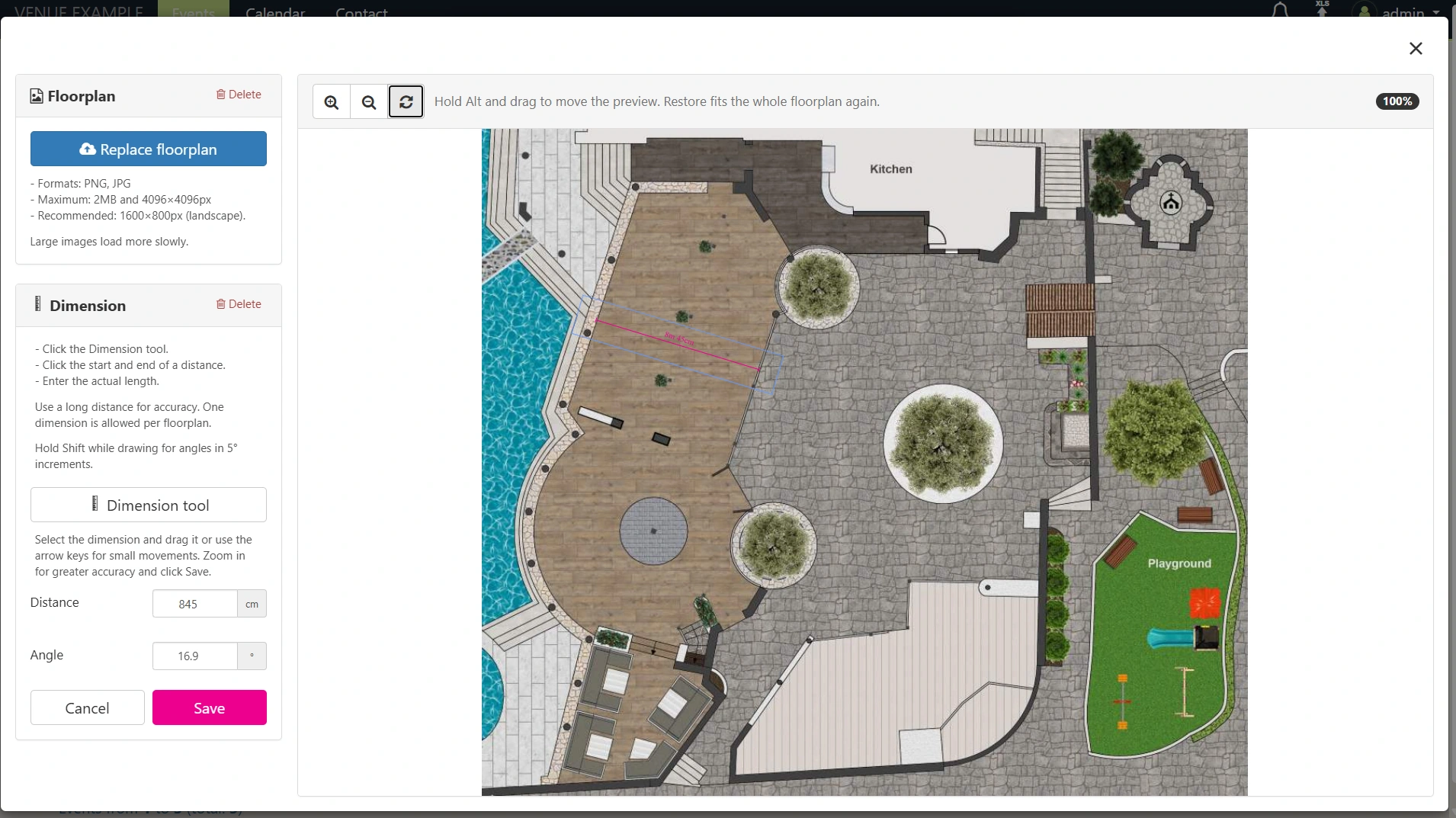
Add your venues, halls and halls groups, upload their background floorplans and dimensionalize them with a few clicks.
Edit Locked Events
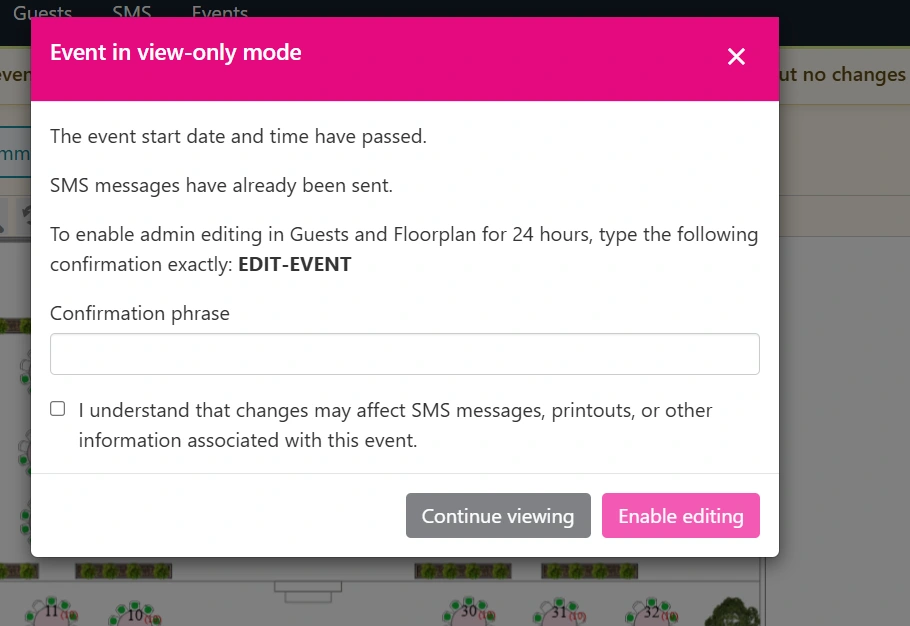
Administrators can now temporarily unlock guest details and floorplans. Simply enter a confirmation phrase to enable editing and prevent accidental changes.
Automatic Table Naming
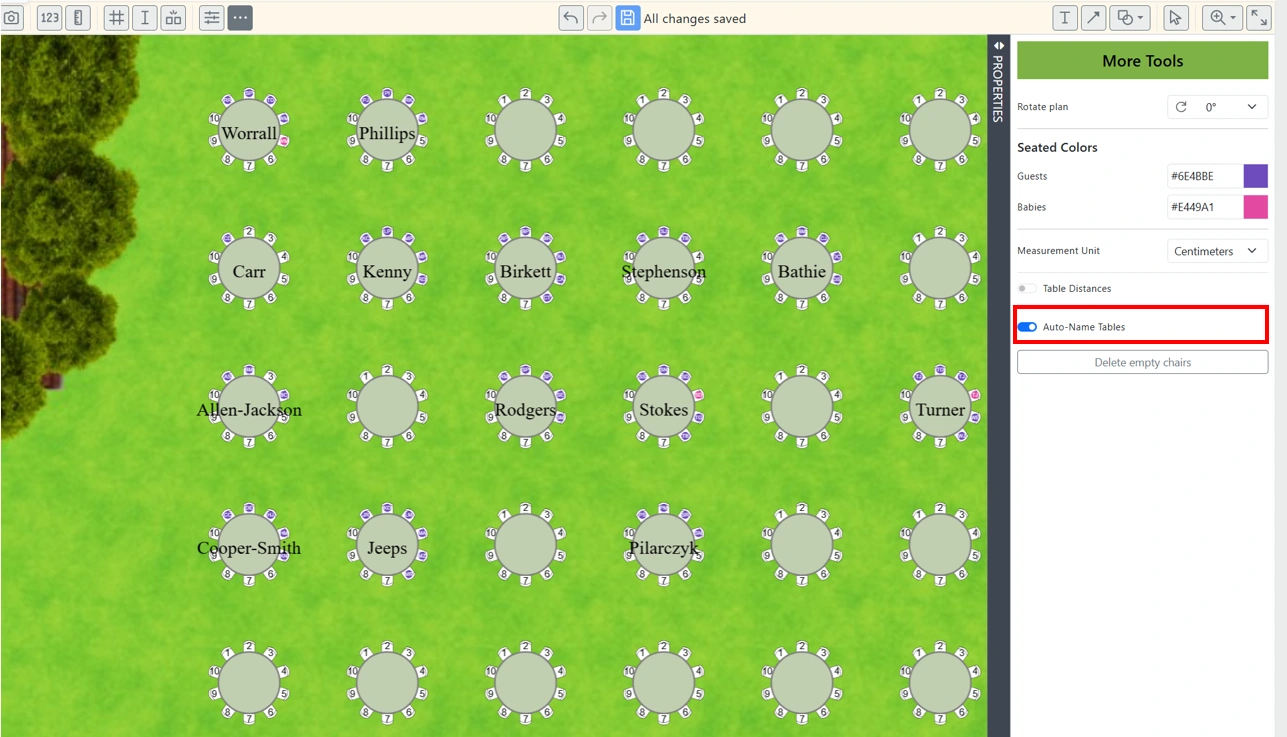
Tables can now be named automatically based on the last names of seated guests. Simply enable “Auto-Name Tables” to activate this feature.
Duplicate Table Numbers
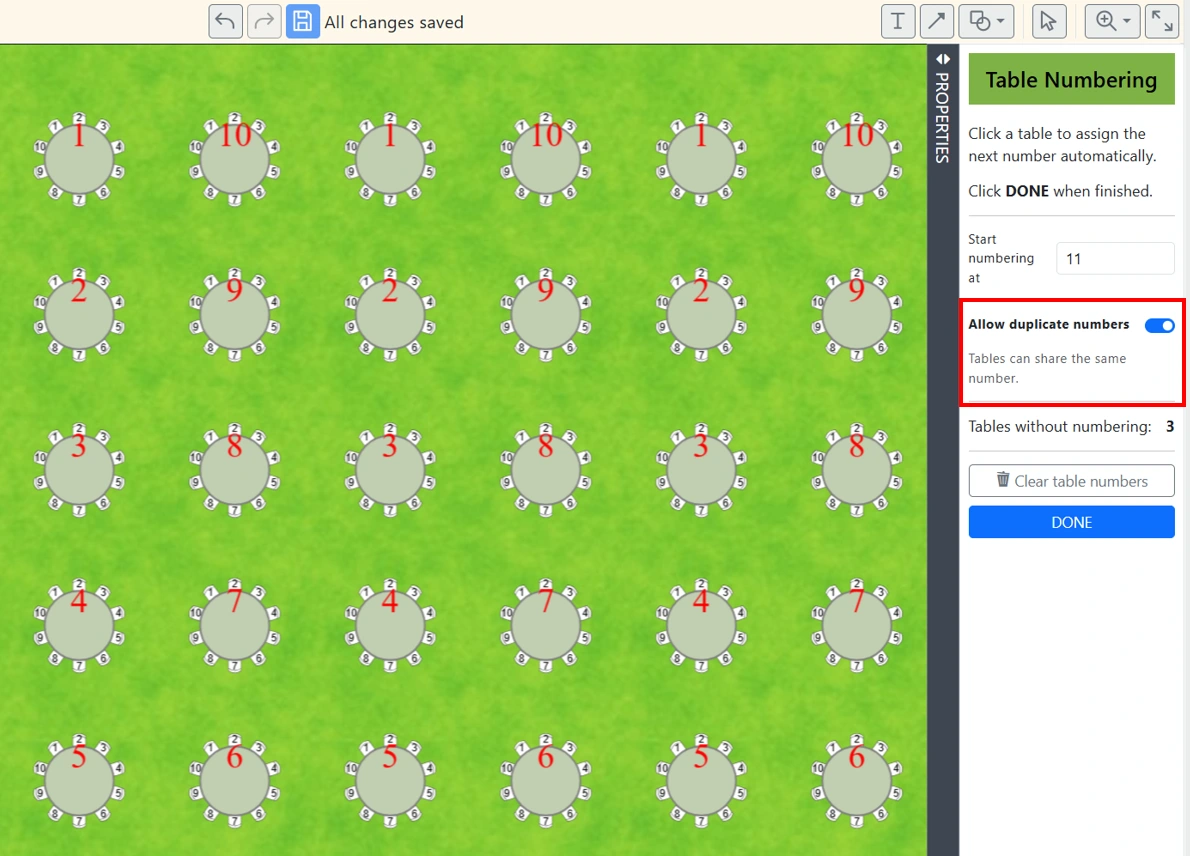
e-Planner protects you from accidentally assigning the same number to different tables. But when duplicate numbering is needed, you can now simply enable the “Allow duplicate numbers” switch.
Based on your feedback, we are changing the industry. Stay tuned!
